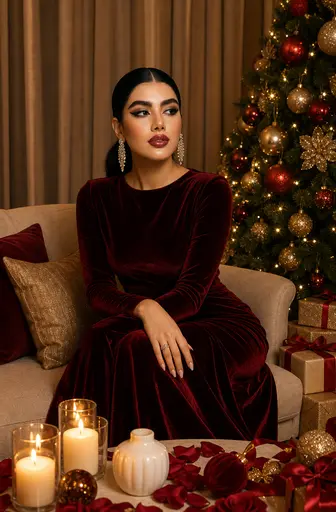
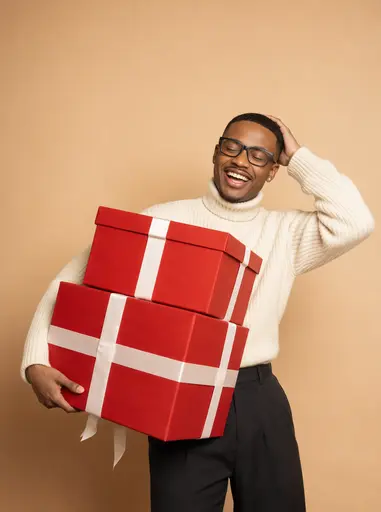
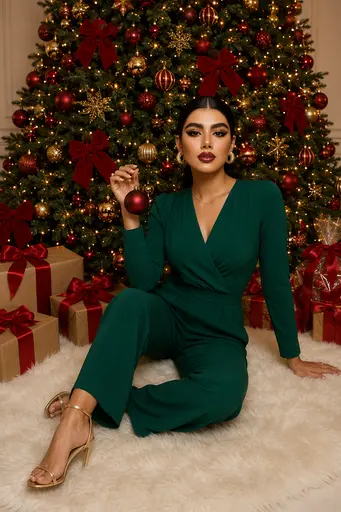
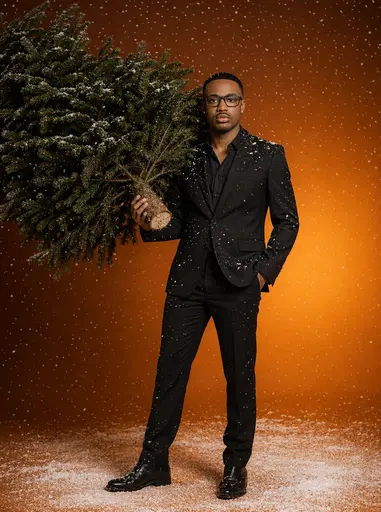
AI photo pack Christmas photoshoot

AI Christmas Photo Generator for Festive Portraits

Turn everyday photos into holiday-ready images. Create Christmas-card portraits, winter scenes, decorated interiors, festive outfits and seasonal social content without arranging a full holiday photoshoot.

Your photo. Your new look.

Start with a clear portrait

Choose a front-facing photo with good lighting.

Choose a photo

Christmas photoshoot pack
already selected

No studio needed Photo-based results

AI-generated examples. Results vary with your source photo.
Christmas photoshoot example 1 Christmas photoshoot pack
A familiar face. A whole new look.

Not just a filter

You bring the face.
We set the scene.

What Is the AI Christmas Photo Trend?

The AI Christmas photo trend uses image generation to place real people into holiday settings that may never have been photographed physically. Its popularity comes from convenience and variety: one source photo can become a cozy home portrait, snowy outdoor scene or formal festive image. The strongest results are still grounded in believable lighting, recognisable faces and a clear seasonal art direction.

Create Holiday Photos Before Everyone Is Standing in the Same Room

Christmas photography is often limited by logistics: finding matching schedules, good light, decorations, winter weather and enough patience for one usable photo. AI removes many of those constraints. You can create polished seasonal portraits from existing images and explore different directions — cozy at home, snowy outdoors, elegant evening, family-card style or playful Christmas themes. The best results still feel like real people in a believable holiday scene.

How it works

From everyday to extraordinary.

Three simple steps. No editing experience needed.

  1. Example portrait upload

    Step 1: Upload Your Photo

    First things first! Choose a photo of yourself that you like.

    For the best results, upload a clear selfie where your face is easy to see. Good lighting, a natural expression, and a front-facing pose can help AI create a better result.

  2. Christmas photoshoot selected Original portrait Pack selected

    Step 2: Choose Your Style

    Ready to give your picture a makeover?

    Select the Christmas photoshoot pack in PhotoAI. If you’re already on this page, it is selected for you.

    Then pick the look that suits you best.

  3. Christmas photoshoot result

    Step 3: Generate and Preview Your Result

    Now comes the exciting part!

    Start the generation process and let PhotoAI create your result. When it is ready, take a look at your new picture.

    Happy with how it turned out? Download it using the available options and share it with friends or family.

A better starting point

Big ideas.
No big production.

Why Use an AI Christmas Photo Generator?

  1. Create seasonal images without waiting for snow, booking a studio or rebuilding a decorated set at home.

  2. Generate holiday-card concepts even when your best source photos were taken at different times or in non-seasonal settings.

  3. Explore multiple Christmas moods — cozy, elegant, playful, snowy or cinematic — instead of forcing every image into the same red-and-green formula.

  4. Produce content early enough for cards, social posts and campaigns rather than depending on a last-minute December photoshoot.

A strong photo = a stronger result

Give your photo a good start.

  • Face the camera Use a clear portrait with your face unobstructed.
  • Keep the lighting simple Soft, even light makes your features easier to read.
  • Check the final details Look closely at faces, hands and edges.

Before you start

Good questions.
Clear answers.

AI Christmas Photo Generator FAQ

A few things to know before you create yours.

What is an AI Christmas photo generator?

It is an AI image tool that turns regular photos into Christmas-themed images by changing the setting, styling, lighting and seasonal details.

Can AI create a Christmas photo from my normal portrait?

Yes. A non-seasonal portrait can be placed into a festive interior, winter setting or holiday-card composition.

Can I make AI Christmas photos for a family card?

Yes, provided the people are represented accurately and the final image is checked carefully before printing or sending.

Can I create snowy Christmas photos without real snow?

Yes. AI can generate winter environments, but inspect snow edges, clothing and lighting to make sure the scene looks coherent.

What makes a Christmas AI photo look realistic?

Consistent lighting, believable decorations, accurate faces and restrained seasonal details matter more than simply adding as many Christmas objects as possible.

Can I create elegant Christmas portraits?

Yes. Formal evening styling, warm interiors and subtle lights can create a sophisticated holiday look without novelty costumes.

Can I create funny AI Christmas photos?

Yes. Playful outfits, exaggerated holiday scenes and humorous concepts work well for social content and informal greetings.

When should I generate Christmas photos?

Create them early enough to review, edit, print or schedule before the holiday rush — especially if you plan to use them for cards or campaigns.

Can AI Christmas photos be used for business social media?

Yes, if the style fits the brand and the generated image does not misrepresent products, staff or locations.

What should I check before printing an AI Christmas photo?

Inspect faces, hands, decorations and fine details at full size, then make sure the export resolution is sufficient for the intended print dimensions.

Other AI photo packages

Another side of you awaits.

Explore more photo packs